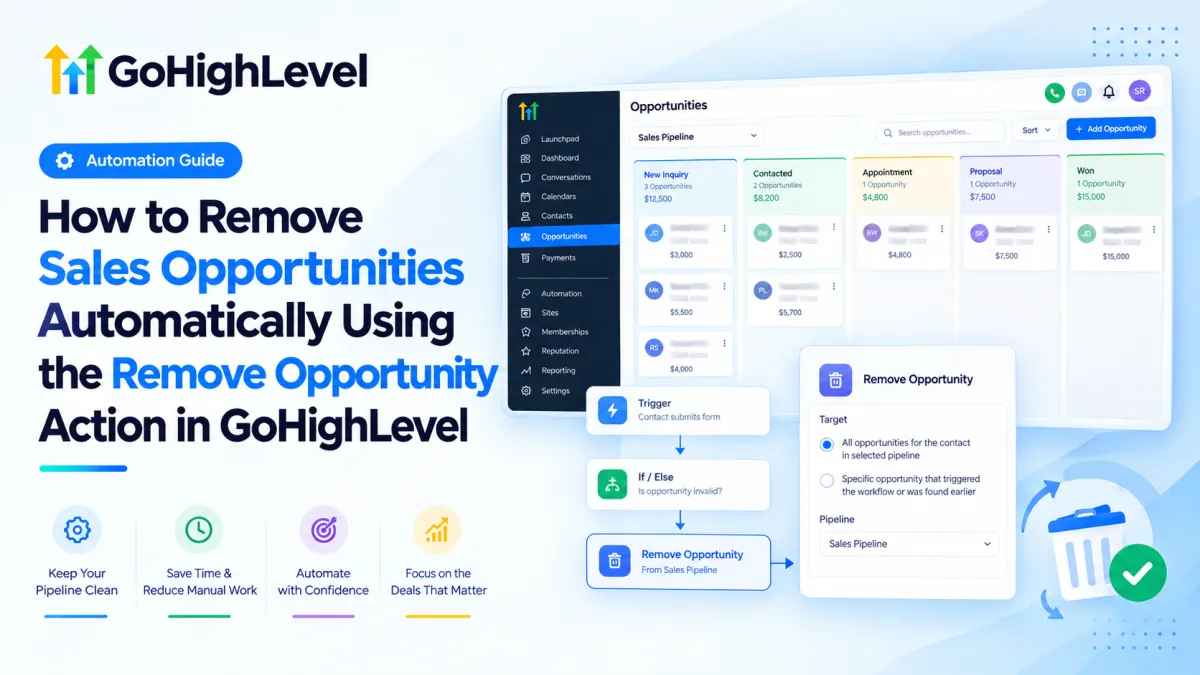
How to Remove Sales Opportunities Automatically in GoHighLevel

How to Remove Sales Opportunities Automatically in GoHighLevel

How to Remove Sales Opportunities Automatically in GoHighLevelWispcode Team
Published on: 15/09/2026

Learn how to automatically remove sales opportunities in GoHighLevel using the Remove Opportunity Action, with practical workflow examples and safety tips.

GoHighLevel Remove OpportunityRemove Opportunity in GoHighLevelGoHighLevel WorkflowGoHighLevel WorkflowsGoHighLevel CRM automationGoHighLevel opportunity automationGoHighLevel sales pipelineGoHighLevel sales automationRemove sales opportunityOpportunity management in GoHighLevelHighLevel CRM automationWispcode
Update Appointment Status Action in GoHighLevel

Update Appointment Status Action in GoHighLevel

Update Appointment Status Action in GoHighLevelWispcode Team
Published on: 14/09/2026

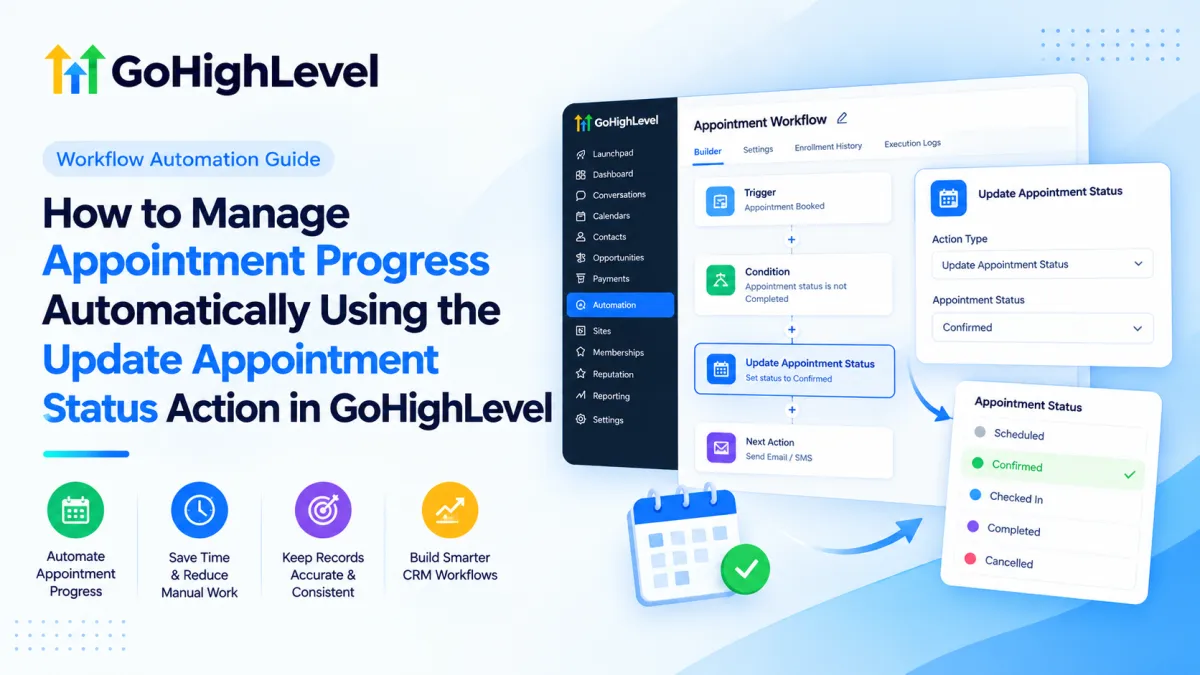
A visual guide showing how the GoHighLevel Update Appointment Status Action can be incorporated into a workflow to automate appointment progress and maintain consistent CRM records.

Update Appointment Status in GoHighLevelGoHighLevel appointment automationGoHighLevel appointment statusGoHighLevel workflow automationHighLevel appointment automationGoHighLevel Workflowsappointment status automationWispcode
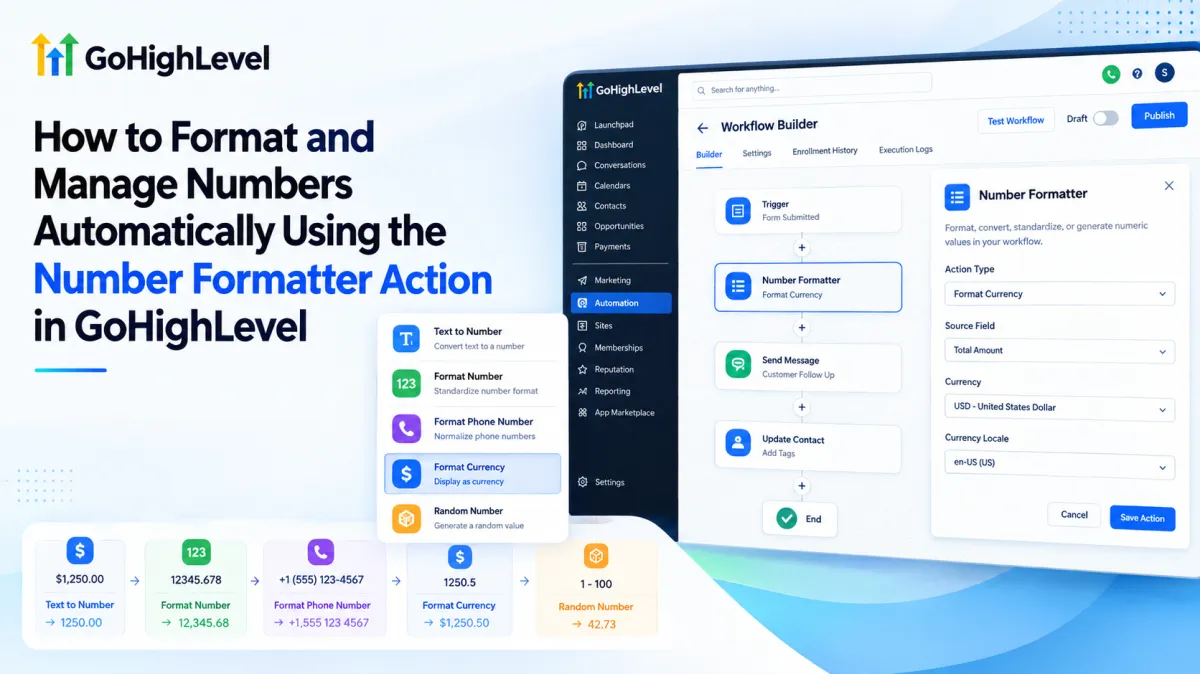
How to Format and Manage Numbers Automatically Using Number Formatter in GoHighLevel

How to Format and Manage Numbers Automatically Using Number Formatter in GoHighLevel

How to Format and Manage Numbers Automatically Using Number Formatter in GoHighLevelWispcode Team
Published on: 09/09/2026

Learn how to use the Number Formatter Action in GoHighLevel to convert, format, standardize, and generate numeric values in workflows for cleaner CRM data and reliable automation.

Number Formatter Action in GoHighLevelGoHighLevel Number Formatter ActionGoHighLevel WorkflowsGoHighLevel automationFormat numbers in GoHighLevelText to Number GoHighLevelFormat Number GoHighLevelFormat Phone Number GoHighLevelFormat Currency GoHighLevelRandom Number GoHighLevelWispcode
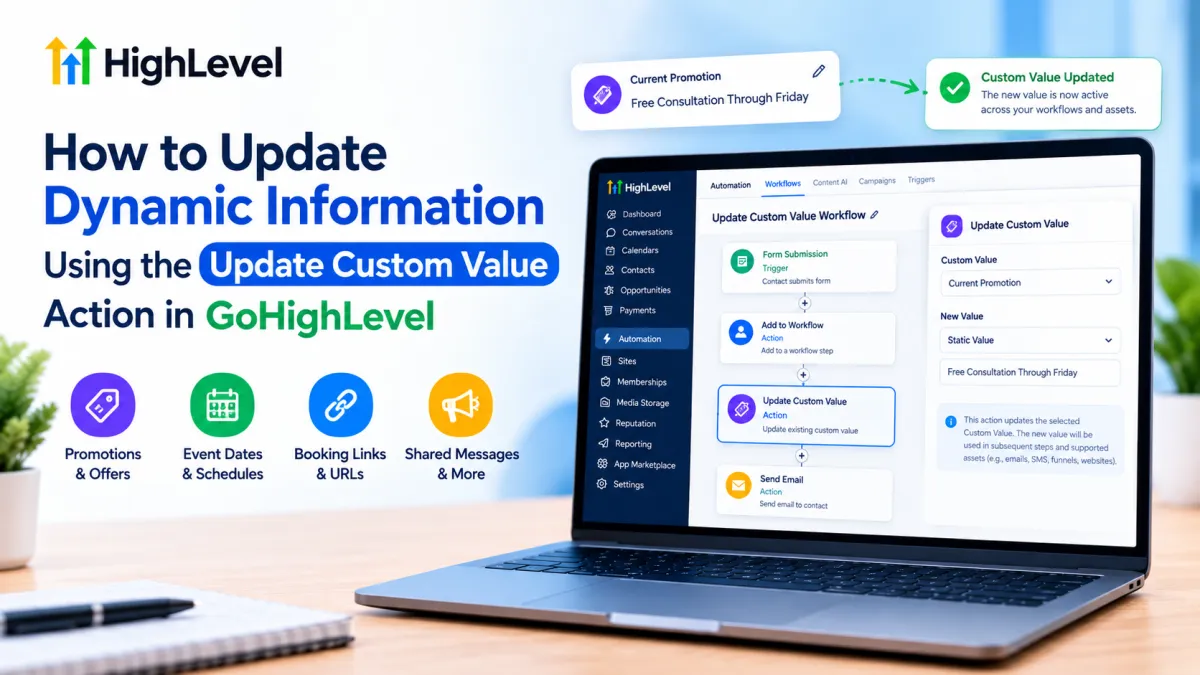
Update Custom Value Action in GoHighLevel

Update Custom Value Action in GoHighLevel

Update Custom Value Action in GoHighLevelWispcode Team
Published on: 08/09/2026

Learn how to use GoHighLevel’s Update Custom Value Action to automate shared promotions, URLs, campaign details, and other reusable information in your workflows.

GoHighLevel Custom ValuesGoHighLevel Update Custom ValueGoHighLevel WorkflowsGoHighLevel AutomationGoHighLevel Workflow ActionsGoHighLevel Dynamic ValuesGoHighLevel Custom Value AutomationGoHighLevel CRM AutomationGoHighLevel Workflow AutomationWispcode

At Wispcode, we deliver pioneering digital engineering strategies that empower businesses to grow with confidence.

Get in touch with us

Email:

Phone:

Hours: 24/7 available

Copyright @2026 Wispcode. All Rights reserved.